
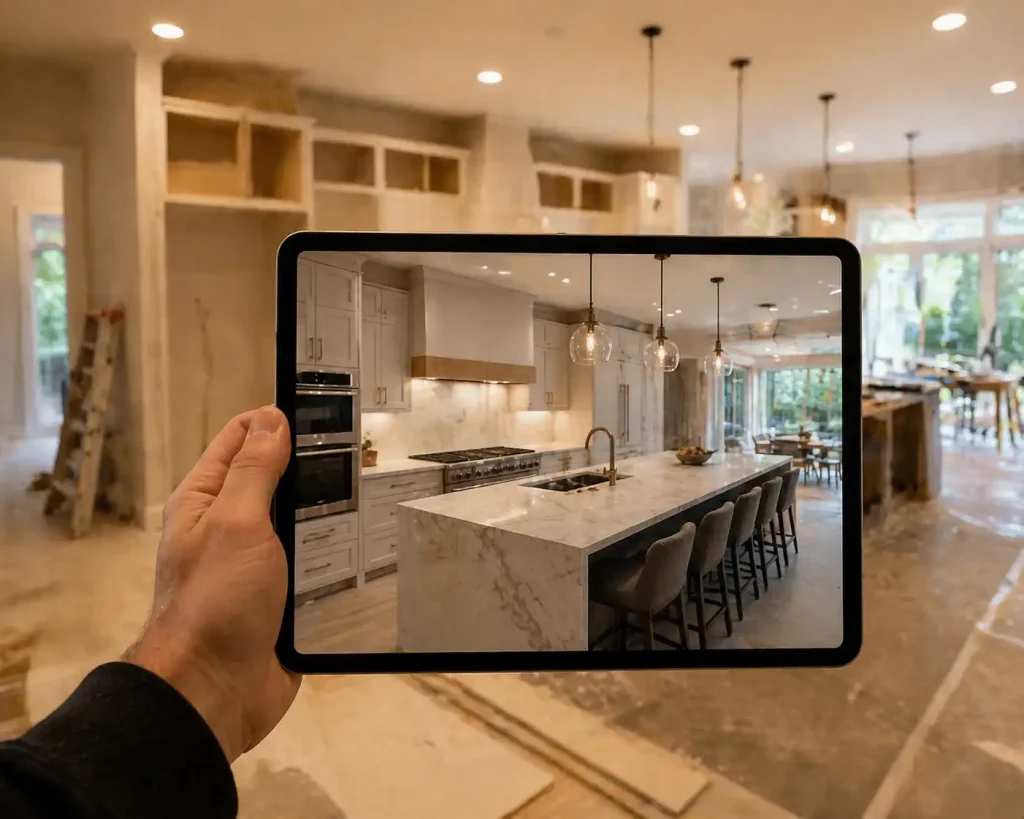
Walk into any kitchen showroom in 2026 and someone will offer to show you your future kitchen on a tablet. Photorealistic 3D renderings, augmented reality apps, virtual walkthroughs, sometimes even VR headsets. Some come bundled with your design fee. Others are an upcharge, $300 to $2,500 depending on the firm and level of detail.
Are they worth the money? Sometimes yes, sometimes no. Here is how to tell which side of that line you sit on before you sign anything.
What 3D renderings actually do well
A good rendering does three things a flat drawing cannot.
First, it shows scale. A blueprint cannot tell you how a 36-inch range looks against an 84-inch fridge column. A rendering can, and many homeowners realize their dream layout has the fridge looming over the cooktop. If you are still weighing options, our overview of modern kitchen layouts for 2026 is a useful starting point before you commit to a render.
Second, it catches conflicts. Window placement clashing with upper cabinets. A pendant light directly above where the range hood will hang. Door swings overlapping the dishwasher. These problems are expensive to fix during construction and almost free to fix during design. Renderings surface them while changes are still cheap.
Third, it sells the design to the rest of the household. A spouse who could not picture the change from a 2D plan often signs off in five minutes once they see a rendering. That alone has real value.
Where AR tools earn their keep
AR apps, where you point your phone at the actual room and see proposed cabinets and finishes overlaid in place, are most useful for two scenarios.
Color and finish decisions come first. A sample chip the size of a credit card lies. The same color across an entire wall behaves differently. AR gets you closer to reality before committing to 30 cabinet doors in a tone you have only seen on a 2-inch swatch. If you are leaning toward something specific, our breakdown of timeless cabinet styles and finishes pairs well with an AR preview.
Layout sanity-check in the actual space comes second. Some clients walk through their AR-overlaid kitchen and realize the island they wanted blocks the natural traffic path from the back door to the pantry. That is the kind of insight a printed plan rarely gives.
Where renderings fall short
They are not a guarantee. Renderings can be made to look better than the finished product because lighting, finishes, and proportions can be adjusted in software. The countertop in the rendering had a sun angle hitting it at 4 p.m. on a clear day. Your real kitchen on a gray Columbus November will look different.
Renderings also push people toward signing off too fast. The drawing looks great, so the homeowner approves it without scrutinizing the actual measurements, sightlines, or cabinet specs. The same homeowner would have asked harder questions if all they had was a black-and-white plan.
The complaint of “that is not what it was supposed to look like” after install often comes from clients who relied on the rendering instead of reading the spec list.
When the upcharge is worth it
Pay extra for renderings in these scenarios.
You are doing a major layout change. Walls coming down, kitchens being moved, additions being added. The visualization helps prevent costly second-guessing once framing starts, especially in older Columbus homes where structural surprises are common. Our guide on planning a kitchen renovation in Columbus covers the prep work that makes those renderings actually useful.
You and your spouse or partner disagree on the design direction. The rendering becomes the tiebreaker, faster and cheaper than another argument over the dining table.
You are picking finishes that scare you. Bold cabinet colors, dramatic countertops, pattern-heavy backsplashes. Seeing the full effect before ordering saves you from a $15,000 mistake. Pair the rendering with a clear plan for choosing the right materials for your kitchen remodel and you remove most of the risk.
You are remodeling remotely or buying out of town. If you cannot easily visit the showroom, virtual visualization is doing real work.
When you are paying for hype
Skip the upcharge in these cases.
The remodel is a like-for-like swap. New cabinets in the same layout, similar style, predictable finishes. You do not need a rendering to know what off-white shaker cabinets with quartz tops look like.
The designer is selling renderings as a substitute for proper documentation. Renderings are a sales tool. Detailed elevations, plan views, and finish schedules are what the contractor actually builds from. If the firm is heavy on visuals and light on technical drawings, that is a red flag.
You are budget-tight and the rendering is $1,500 you could spend on better hardware or a nicer faucet. The rendering does not change the kitchen. The faucet does.
The gut check before you say yes
Ask the designer two things before paying for any visualization upgrade.
Ask if the rendering will match the cabinet door style, hardware, finish, and lighting in the final install. When the designer cannot make that commitment, the rendering is mood-board territory, not a planning tool, and you should price it accordingly.
Confirm the rendering ships with full elevation drawings and a finish schedule. If those documents come with it, you are getting the full design package and the visualization is added value. Without them, you are paying extra for marketing collateral.
The bottom line
3D renderings and AR are real tools, not gimmicks. For major layout changes, color-anxious homeowners, and households where two people need to agree, they pay back the cost. For straightforward refreshes and repeat-style projects, they are a luxury you can skip without losing anything that matters.
If your designer cannot do the project well without renderings, that is a different problem worth asking about before you sign the contract.